How to Build Your First AI-Powered App (Even If You Can't Code)
Here is a truth that would have sounded unbelievable just a few years ago: you can build a functional AI-powered application in under an hour, even if you have never written a line of code .
The AI revolution is not just about what the models can do it is about how accessible they have become. Today, you are not building from scratch; you are composing using APIs, no-code platforms, and AI assistants.
This guide will walk you through the process, from your first idea to a deployed application.
Step 1: Start Simple (Seriously, Simple)
The single biggest mistake beginners make is trying to build the next ChatGPT on day one. Do not do that.
Your first AI app should solve one small, specific problem. Instead of "build an AI app for my business," think:
-
"I want to summarize long articles into three bullet points."
-
"I want to generate a recipe based on ingredients I have at home."
-
"I want to translate text into a specific tone (formal, casual, funny)."
A simple use case keeps your scope manageable and lets you focus on the core mechanics: sending data to an AI and displaying the response . Andrew Ng, a leader in AI education, emphasizes building a simple app like a "birthday card generator" first. This builds your intuition for how to talk to AI and shape its output before you tackle bigger ideas .
Step 2: Choose Your Path (The No-Code vs. Code Decision)
You have two clear paths forward, depending on your comfort with technology.
Option A: The No-Code / Low-Code Path (Start Here)
This is the fastest way to get a working app. You can build a functional chatbot with memory and conversation history in a few hours without writing a single line of code .
-
How it works: Platforms like Bubble or Replit AI let you use drag-and-drop interfaces to build the front end and connect to AI services (like OpenAI or Claude) using built-in connectors .
-
What to build: A customer support chatbot for your business or a "ChatGPT clone" that you can customize for a specific purpose .
-
Best for: Complete beginners, founders, or anyone wanting to validate an idea quickly without learning a new programming language.
Option B: The AI-Assisted Coding Path
If you have some basic coding knowledge (or are willing to learn), you can use AI to do the heavy lifting. This gives you more flexibility.
-
How it works: Use a platform like Replit or Streamlit and prompt the AI to write the code for you . You can set up a basic Python environment in minutes.
-
The key skill: Prompt engineering. The quality of your app depends on how well you describe what you want to the AI .
-
A Great First Project: A Document Summarizer. You create a simple webpage where a user pastes text. The backend sends that text to an AI API (like Claude or Gemini) with a prompt like: "Summarize this text into a TL;DR, 3 key points, and the overall tone. Respond only in JSON format." The app then displays the structured summary .
Step 3: The Actual Build (A Simple Framework)
Regardless of which path you choose, the process looks the same:
-
Set Up Your Environment: Sign up for an account on your chosen platform. If you are coding, install Python and use a virtual environment to keep things organized . If you are using an API (like OpenAI), get your secret API key .
-
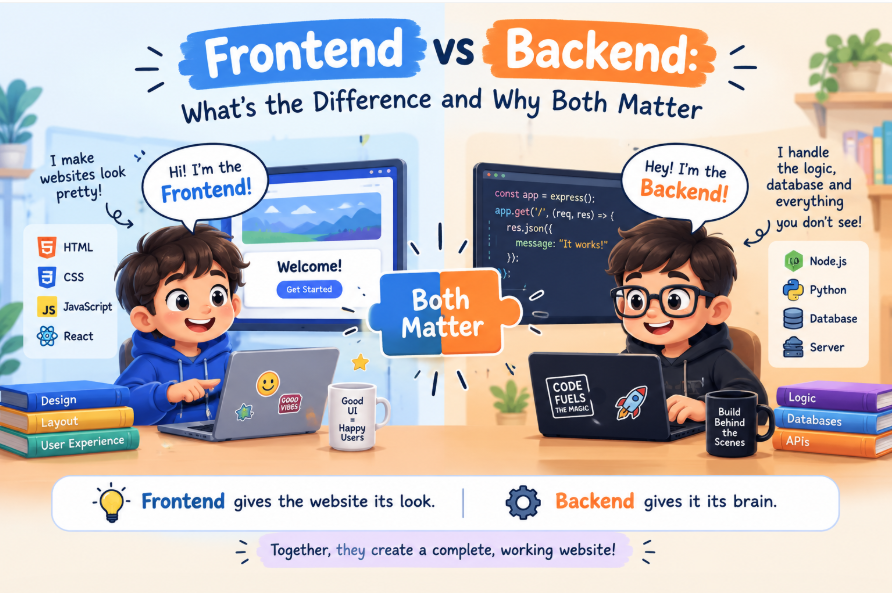
Create the User Interface: This is what your user sees. If you are coding with Streamlit, you can create a text input box and a button with just a few lines of Python .
-
Connect to the AI:
-
Backend (Code): When a user clicks the button, your code sends a request to the AI's API with the user's input and your instructions (the system prompt) .
-
No-Code (Bubble): You configure an "API Connector" to do the exact same thing .
-
-
Display the Result: Take the AI's response and show it on your user interface.
Pro-Tip: The instruction you give the AI—the system prompt—is the most important part. Tell the AI exactly what you want, in what format, and give it a role. For example: "You are a senior editor. Summarize this text in exactly three bullet points." This is what separates a flaky AI feature from a reliable one .
Step 4: Launch and Learn
Once your app works locally, it is time to launch it. Platforms like Vercel, Streamlit Community Cloud, or Heroku make deploying a web app easy, often with free tiers .
Then, the real learning begins. Get your app into people's hands, watch how they use it, and ask for feedback. Did the AI give them what they wanted? Is the interface confusing?
Use that feedback to make your next iteration better. Building your first app is not the end—it is the beginning of a cycle of creation and improvement .
The power to build with AI is no longer locked behind a PhD in machine learning. It is available to anyone with an idea and the willingness to try .
Contact Us
Phone: +91 9667708830
Email: info@codingnow.in
Website: https://codingnowai.in/
Address:
2nd Floor, Kapil Vihar (Opp. Metro Pillar No.354)
Pitampura, New Delhi – 110034
Backlink to main website: Explore Python and AI courses at Coding Now – Gurukul of AI