The Big Question
Let me ask you something directly.
Have you ever felt this feeling?
"Everyone is talking about AI agents. I see posts about AutoGPT, BabyAGI, and LangChain. But honestly? I don't even know where to start. Is this something only AI researchers can do?"
I hear this every single week from students who call me.
Here is my honest answer: AI agents are just programs that make decisions. That is it. Nothing magical.
Think of it this way:
A regular calculator does exactly what you tell it. Nothing more. Nothing less.
An AI agent is like a smart assistant. You give it a goal. It figures out the steps. It uses tools. It decides what to do next. And it keeps going until the goal is achieved.
That is it. That is an AI agent.
And yes – you can build one. Today.
Let me show you how.
Step 3: What Exactly is an AI Agent? (No Jargon, Just Honesty)
Before we build anything, let us understand what an AI agent actually is.
The Simple Definition:
An AI agent is a system that:
-
Takes a goal from you
-
Breaks it down into steps on its own
-
Uses tools (like search, calculators, APIs) to complete each step
-
Makes decisions along the way
-
Keeps working until the goal is done
Real-World Example:
Imagine you ask a human assistant: "Book me a flight to Mumbai under ₹5000."
The assistant will:
-
Check different airline websites (uses search tool)
-
Compare prices (uses reasoning)
-
Choose the best option (makes a decision)
-
Book the ticket (takes action)
An AI agent does the same thing – but with code.
AI Agent vs Regular Chatbot (Important Difference):
| Regular Chatbot | AI Agent | |
|---|---|---|
| What it does | Answers questions from memory | Takes actions to achieve goals |
| Example | "What is the capital of India?" | "Book me a flight under ₹5000" |
| Can use tools? | No | Yes (search, calculator, APIs) |
| Makes decisions? | No (responds from fixed answers) | Yes (chooses next step) |
| Complexity | Simple | Moderate |
Examples of AI Agents in 2026:
-
An agent that reads your emails and drafts replies
-
An agent that researches topics and writes summaries
-
An agent that compares product prices across websites
-
An agent that schedules meetings based on everyone's calendar
These are not science fiction. These are things you can build right now.
Step 4: What You Need Before You Start (Very Basic Requirements)
You do not need much. Here is the honest list.
Required (Non-negotiable):
-
Basic Python knowledge (variables, loops, functions, if-else)
-
A computer with internet connection
-
Willingness to try and break things
Nice to have (but not required):
-
Understanding of APIs (what they are)
-
Some command line experience
What you DO NOT need:
-
A PhD in AI
-
Years of experience
-
Expensive hardware
-
Deep knowledge of neural networks
If you have written even 10 lines of Python in your life, you are ready.
If you have never written code – do not worry. At Coding Now, we teach Python from absolute zero. You can learn in 2-3 weeks and then build agents.
Step 5: Step-by-Step – Build Your First AI Agent
Let me walk you through building a simple but useful AI agent.
What our agent will do:
You give it a topic. It will search the web (simulated), read the information, and write a short summary.
Tools we will use:
-
Python (free)
-
OpenAI API (or free alternative like Gemini API – has free tier)
-
LangChain (free library that makes building agents easy)
Total time: 30-45 minutes if you have Python installed
Step 5.1: Set Up Your Environment
First, make sure you have Python installed. Open your terminal or command prompt.
python --version
If you see version 3.8 or higher, you are good.
Now install the libraries we need:
pip install langchain langchain-openai python-dotenv
Step 5.2: Get an API Key (Free or Paid)
An API key is like a password that lets your code talk to an AI model (like ChatGPT).
Option 1 – OpenAI (paid, but cheap):
-
Go to platform.openai.com
-
Sign up and add $5 credit (about ₹400)
-
Create an API key
Option 2 – Google Gemini (free tier available):
-
Sign in with Google account
-
Generate a free API key (has rate limits but works for learning)
I recommend starting with Gemini because it is free.
Step 5.3: Write Your First Agent Code
Create a new file called my_first_agent.py and paste this code:
# Import the libraries
from langchain_openai import ChatOpenAI
from langchain.agents import create_react_agent, AgentExecutor
from langchain.tools import tool
from langchain.prompts import PromptTemplate

# NOTE: If using Google Gemini, use different import.
# This example uses OpenAI structure. For Gemini, contact us.

# Your API key (keep this secret in real projects)
import os
os.environ["OPENAI_API_KEY"] = "your-api-key-here"

# Step 1: Create a simple tool that our agent can use
@tool
def calculate_length(text: str) -> str:
    """Counts the number of characters in the given text."""
    return f"The text has {len(text)} characters."

@tool
def get_word_count(text: str) -> str:
    """Counts the number of words in the given text."""
    words = text.split()
    return f"The text has {len(words)} words."

# Step 2: List all tools our agent can use
tools = [calculate_length, get_word_count]

# Step 3: Choose the AI model
llm = ChatOpenAI(model="gpt-3.5-turbo", temperature=0)

# Step 4: Create a prompt that tells the agent what to do
prompt = PromptTemplate.from_template("""
You are a helpful assistant that has access to tools.

You have these tools available:
{tools}

You must follow this format:
Question: the user's question
Thought: think about what to do
Action: the tool to use (must be one of: {tool_names})
Action Input: the input for the tool
Observation: the result from the tool
... (repeat Thought/Action/Observation as needed)
Thought: I now know the final answer
Final Answer: the final answer to the user

Begin!

Question: {input}
Thought: {agent_scratchpad}
""")

# Step 5: Create the agent
agent = create_react_agent(llm, tools, prompt)
agent_executor = AgentExecutor(agent=agent, tools=tools, verbose=True)

# Step 6: Run your agent!
result = agent_executor.invoke({
    "input": "Please count the number of characters and words in this sentence: Hello world, this is my first AI agent!"
})

print(result["output"])
Step 5.4: Run Your Agent
Save the file. Run it in your terminal:
python my_first_agent.py
What will happen:
The agent will:
-
Read your request
-
Decide to use the
calculate_lengthtool -
Get the character count
-
Decide to use the
get_word_counttool -
Get the word count
-
Combine both results into a final answer
Congratulations! You just built your first AI agent.
Step 5.5: Make It More Useful (Your Challenge)
Now that you understand the basics, try these upgrades:
Challenge 1: Add a tool that searches Wikipedia
Challenge 2: Add a tool that gets the current weather
Challenge 3: Build an agent that researches any topic and writes a 100-word summary
If you get stuck – that is normal. At Coding Now, we teach you exactly how to build production-ready AI agents that companies actually pay for.
Step 6: Why AI Agents Matter in 2026
You might be wondering: "This is cool, but is it useful for my career?"*
Here is why AI agents are the biggest trend in 2026.
1. Companies Are Moving Beyond Chatbots
Chatbots just answer questions. AI agents take action. A chatbot tells you the weather. An agent books your Uber. That difference is worth crores.
2. Agentic AI is the New "Full Stack"
Just like every company needed a website in 2015, every company will need an AI agent in 2026. The demand is exploding.
3. Salaries Are High
In our AI Engineering Diploma at Coding Now, students who master AI agents and LangChain are getting placed at ₹12-18 LPA. Some even higher.
4. Entry Barrier Is Low
You do not need deep learning PhD to build agents. You need Python, APIs, and logical thinking. That is it.
5. India Is Becoming the Agent Hub
With lower development costs and high English proficiency, Indian developers are building agents for US and European companies. The opportunity is massive.
Step 7: What Coding Now Offers for AI Agent Development
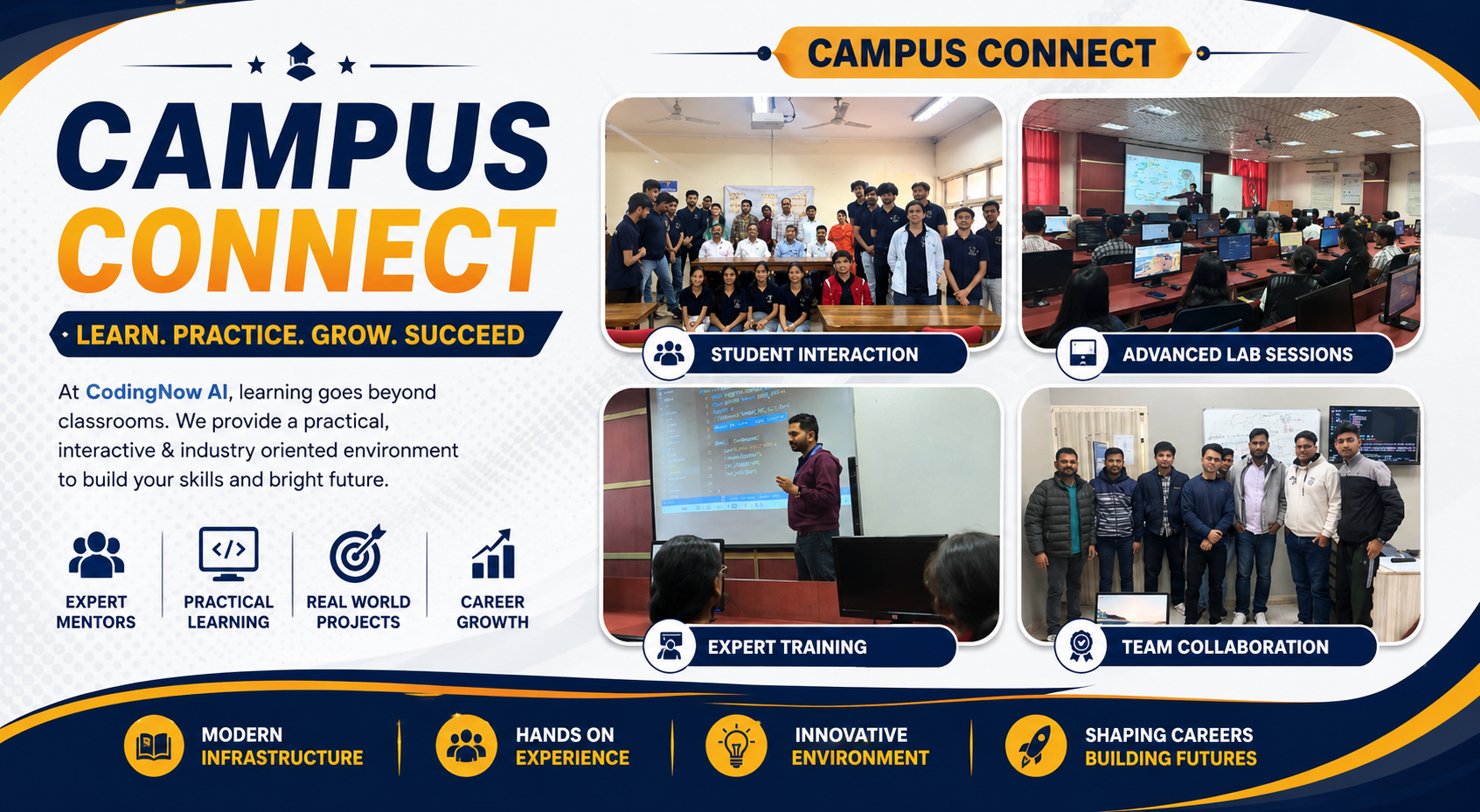
At Coding Now – Gurukul of AI, we have trained 3,200+ students in AI, Full Stack, and Data Science. Our AI Engineering Diploma covers AI agents in depth.
What You Will Learn in Our AI Engineering Diploma (6 Months):
| Module | Topics Covered |
|---|---|
| Python Foundations | Variables, loops, functions, OOP, error handling |
| APIs & Integration | REST APIs, authentication, rate limiting |
| LLM Basics | GPT, Gemini, Claude, prompt engineering |
| LangChain Deep Dive | Chains, agents, tools, memory, callbacks |
| RAG (Retrieval-Augmented Generation) | Vector databases, embeddings, document search |
| Building Production Agents | Multi-agent systems, error handling, logging |
| Deployment | Deploy agents on cloud (AWS, Vercel) |
Projects You Will Build:
-
Customer support agent for e-commerce
-
Research assistant that summarizes articles
-
Code reviewer agent
-
Meeting scheduler agent
-
Multi-agent system where agents talk to each other
Placement Support:
-
100% placement assistance
-
3500+ hiring partners
-
Average salary: ₹8-18 LPA
-
Highest package: ₹34 LPA
Mode: Offline at Pitampura, Delhi (hybrid options available)
Duration: 6 months (flexible batches)
7-Day Trial: Attend 7 days. If you don't see value, full refund.
Step 8: Why Delhi is a Great Hub for Learning AI Agents
I am based in Delhi. Here is why Delhi NCR is the best place to learn AI agent development.
1. Proximity to Hiring Companies
Noida, Gurgaon, and Delhi have thousands of IT companies actively hiring AI talent. Our students get interviews within 30 minutes of our center.
2. Affordable Living
PG accommodation in Pitampura costs ₹6,000-10,000 per month. Food is cheap. Metro connectivity is excellent.
3. The "Gurukul" Culture
Our founders – Mamta Arora Uppal, Vikram Uppal, Abhishek Kumar – personally mentor students. You will not get a faceless online portal.
4. 24/7 Lab Access
You can code at 2 AM. Break things. Fix them. Learn by doing.
5. Hinglish Teaching
Complex concepts in simple language. That is why our non-CS students succeed.
Our Office Address:
2nd Floor, Kapil Vihar, (Opp. Metro Pillar No.354)
Pitampura, New Delhi – 110034
Step 9: Pro Tips for Learning AI Agents
Tip 1: Start Simple, Then Scale
Do not try to build a multi-agent system on Day 1. Build a single tool agent first. Then add more tools. Then add memory. Then add multiple agents.
Tip 2: Use Free APIs First
OpenAI costs money. Start with Gemini free tier or Groq (very cheap). Learn the concepts before spending.
Tip 3: Read LangChain Documentation
LangChain is the most popular framework for AI agents. Their docs are excellent. Bookmark them.
Tip 4: Build Every Day
Even 30 minutes of coding per day is better than 5 hours on Sunday. Consistency wins.
Tip 5: Join a Community
Learning alone is hard. At Coding Now, you learn with 20 other students, a mentor, and 3,200+ alumni. That support changes everything.
Step 10: What We Offer (Complete List)
At Coding Now – Gurukul of AI, we offer everything you need to go from beginner to placed AI agent developer.
What We Offer:
-
AI Engineering Diploma (6 months) – Full AI agent curriculum
-
AI-Integrated Full Stack (6 months) – Build websites with AI agents
-
100% placement support – Resume, mock interviews, referrals
-
50+ industry projects – Real applications, not toy examples
-
Live, offline classes – Not recorded videos
-
24/7 lab access – Code anytime
-
Small batches – 20-25 students per mentor
-
7-day trial – Full refund if not satisfied
-
Hinglish teaching – Clear explanations
What We Don't Do:
-
No fake "get job in 2 weeks" promises
-
No hidden fees
-
No large batches
-
No disappearing after course
Our Promise:
"We will not let you leave without a job offer or a clear roadmap to one. If you put in the hours, we put in the placements."
Step 11: Frequently Asked Questions
Q1: Do I need prior coding experience to build an AI agent?
Basic Python is helpful. If you have never coded, take our Python foundation module first (2-3 weeks). Then build agents.
Q2: How long does it take to learn AI agents properly?
-
Basic agent (with help): 1-2 weeks
-
Build your own simple agent: 3-4 weeks
-
Production-ready agent: 2-3 months
-
Full mastery (AI Engineering Diploma): 6 months
Q3: What is the average salary for someone who builds AI agents?
In our AI Engineering Diploma, students with agent skills get ₹8-18 LPA. The highest package is ₹34 LPA.
Q4: Does Coding Now teach LangChain?
Yes. LangChain is a core part of our AI Engineering Diploma. We cover chains, agents, tools, memory, callbacks, and multi-agent systems.
Q5: Do I need a powerful computer?
No. A basic laptop with 8GB RAM and internet connection is enough. The AI models run in the cloud, not on your machine.
Q6: Can I build AI agents for free?
Yes. Use Google Gemini API (free tier) or Groq (very cheap). You can learn and build without spending money.
Q7: What is the difference between a chatbot and an AI agent?
A chatbot answers questions from memory. An AI agent takes actions, uses tools, and makes decisions to achieve a goal.
Q8: Does Coding Now have placement for AI agent roles?
Yes. Our 3500+ hiring partners are actively hiring for AI engineer roles that require agent building skills.
Q9: What is the 7-day trial?
Attend 7 days of classes. If you don't see value, we refund 100% of the fee. No questions asked.
Q10: How do I enroll?
Call +91 9667708830 or visit our center at 2nd Floor, Kapil Vihar, Pitampura (Opp. Metro Pillar No.354).
Step 12: Final Tagline (SEO & Social Friendly)
"Stop Using Chatbots. Start Building Agents."
Short version for LinkedIn/Twitter:
AI agents are the future. And you can build your first one today. No PhD required.
Hashtags:
#AIAgents #BuildAIAgents #LangChain #AgenticAI #CodingNow #GurukulOfAI #AIEngineering #PythonForAI #LearnToBuild
Step 13: A Personal Note from the Founder
I remember building my first AI agent in 2022. It took me 3 weeks. I broke everything. Nothing worked. I almost gave up.
But then it clicked. The agent successfully completed a task on its own – without me telling it every single step. I felt like a magician.
That feeling is what I want for you.
You do not need to be a genius. You do not need a fancy degree. You just need curiosity and consistency.
And if you want a mentor, a community, and a lab – we are here.
Come visit us in Pitampura. Take a free demo class. Talk to our students who are already building agents for real companies.
Your first AI agent is waiting to be built.
Start today.
Contact Us
Phone: +91 9667708830
Email: info@codingnow.in
Website: https://codingnowai.in/
Address:
2nd Floor, Kapil Vihar (Opp. Metro Pillar No.354)
Pitampura, New Delhi – 110034
Backlink to main website: Explore AI Engineering Diploma and other courses at Coding Now – Gurukul of AI