The Big Question
Here's a question that thousands of non-technical people are asking right now: Can I really build an app without learning to code?
For decades, the answer was a flat no. Building software required years of study—programming languages, frameworks, debugging, deployment. The barrier wasn't just technical; it was psychological. Code looked like a foreign language because it was one. Most people never even tried.
Then AI changed the equation. In February 2025, Andrej Karpathy—a founding member of OpenAI—tweeted about a new approach he called "vibe coding," where you "fully give in to the vibes, embrace exponentials, and forget that the code even exists" . Instead of writing code, you describe what you want in natural language. The AI generates the code. You review the result, refine your description, and iterate.
The term caught fire. Within months, tools like Lovable, Replit, Bolt, and Google's Opal made vibe coding accessible to anyone with an internet connection. By late 2025, users had built nearly 750,000 projects on Replit alone using text prompts . A Brazilian startup built a premium app version in two weeks that generated over $3 million within 48 hours .
But here's the part the hype doesn't emphasize: vibe coding isn't magic. It's a powerful tool with real limitations—especially around security, reliability, and the gap between "it works on my screen" and "it's ready for real users." Understanding both sides matters enormously.
At CodingNowAI, we've spent five years building AI systems and watching this space evolve. Here's what we've learned about vibe coding—the promise, the pitfalls, and whether it's right for you.
What Is Vibe Coding, Really?
Let's define it properly, because the term gets thrown around loosely.
The Core Idea
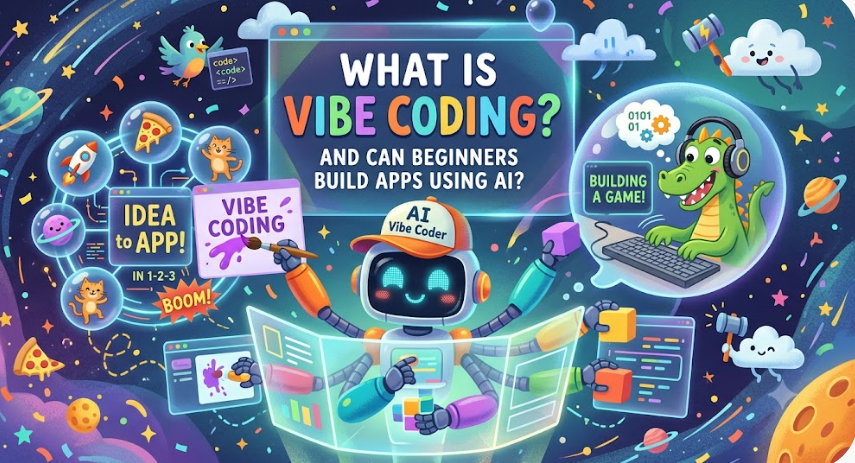
Vibe coding is a form of AI-assisted software development where the primary work shifts from writing code to describing intent. You tell an AI what you want—in plain English, not programming syntax—and the AI generates the code, makes architectural decisions, and builds the application .
The key distinction: in vibe coding, you don't necessarily understand the code being produced. You focus on the experience you want, not the implementation details . That's different from professional AI-assisted development, where engineers use AI tools but still understand and review the code deeply.
How It Works in Practice
The workflow typically looks like this:
-
Describe your app in natural language. The more specific, the better.
-
AI generates the initial code, screens, and logic.
-
Test the result by running the app.
-
Refine your prompt based on what's broken or missing.
-
Repeat until it works as intended .
It's iterative. No one gets a perfect app on the first prompt. The cycle of generate, test, and refine is the core rhythm of vibe coding .
A Hilarious Term with Serious Implications
Windsurf's VP of product called "vibe coding" a "hilarious term"—and it is . But beneath the playful name is a genuine shift in how software gets made. Google integrated vibe coding into Gemini through a tool called Opal, which lets users build "mini apps" by describing workflows . Google AI Studio now lets anyone build personal Android apps with prompts, free of charge . Major cloud providers are integrating vibe coding platforms into enterprise infrastructure .
This isn't a niche hobby. It's becoming infrastructure.
The Tools Beginners Can Actually Use
The vibe coding landscape has exploded. Here's how the major tools break down for beginners.
All-in-One Platforms (Easiest)
These tools handle everything—frontend, backend, database, deployment—so you don't have to think about infrastructure. This is where beginners should start.
-
Lovable: Leads the non-developer market. 63% of its users are non-developers . You describe your app, and it builds it. Ideal for small business owners and complete beginners .
-
Replit: Browser-based, with an AI agent that asks clarifying questions before building. Great for learning the workflow . Free tier available; paid from $17/month.
-
Bolt: Figma integration, one-click deployment, Supabase backend. Good middle ground .
Visual Builders (No Code at All)
-
Google Opal: Inside Gemini. Build AI-powered mini apps by describing workflows. Visual editor shows the logic step-by-step .
-
Google AI Studio: Build personal Android apps with prompts. Free. Runs on your own device .
-
Thunkable: AI Project Generator creates 3-5 screen apps from descriptions .
Editor-Based Tools (More Power, Steeper Learning)
-
Cursor: AI-powered code editor. Hits $500M annual revenue because it's powerful . Best for those willing to see code.
-
GitHub Copilot: Inside your IDE. Free tier is generous for learners .
For True Beginners: Start with Lovable or Replit. They remove every technical barrier. If you want to learn while building, graduate to Cursor later .
Can Beginners Really Build Apps? The Honest Answer
Yes. But with important caveats.
What Beginners Can Build
A Yahoo writer with no coding experience built five functional apps using Claude prompts: a budget tracker, workout timer, habit tracker, tip calculator, and trivia game . These weren't complex—single-page, no login, no data persistence. But they worked.
A practical test built a bill-splitting app with uneven splits in about 15 minutes of testing and five prompts . The math worked correctly, including splitting odd cents. But the testers had to catch problems the AI introduced: a default tip percentage that shouldn't have been selected, a 150% tip that went through without warning, and an edge case where one person's share equaled the whole bill, leaving everyone else at $0.00 .
Where Beginners Struggle
-
Articulating problems: When something doesn't work, you need to describe what went wrong in plain language. This is harder than it sounds .
-
Recognizing bugs: AI-generated code can have subtle issues. Beginners may not spot them until users complain.
-
Security blind spots: A structured audit of vibe-coded software found multiple categories of vulnerabilities . Beginners don't know what to look for.
-
Edge cases: AI handles the happy path well. It struggles with "what if the user does something weird?" .
The Verdict: Beginners can absolutely build functional apps. They should not deploy those apps for real users without security review—or at least a clear understanding of the risks.
Cost Based on Website Type
If you're building apps with vibe coding, here's what different levels of complexity typically cost.
Personal Projects and Prototypes ($0 - $50/month): Free tiers of Replit, Lovable, and Google AI Studio. Limited credits, basic features. Perfect for learning and experimentation.
Small Business Tools ($50 - $200/month): Paid tiers of all-in-one platforms. More usage, better models, deployment options. Suitable for internal tools and simple customer-facing apps.
Production-Ready Apps ($200 - $1,000+/month): Higher-tier subscriptions plus hosting, database, and security costs. The platform may handle infrastructure, but you'll pay for scale.
Enterprise Applications ($5,000 - $50,000+ development): Custom development layered on vibe coding tools. Security audits, compliance, integration. At this level, you need professional engineers regardless of how the first version was built.
The pattern: vibe coding is cheap to start, but costs scale as you move toward production. The tool gets you to a working prototype; getting to production-ready requires more investment.
Breakdown by Developer Type (2020 - 2026 Rates)
The cost of hiring developers who can work with AI-assisted code has shifted.
2020-2022: The Specialist Era
AI-assisted coding barely existed. Developers wrote everything manually. Rates were standard for software engineers.
2023-2024: The Copilot Era
GitHub Copilot and ChatGPT made AI assistance common. Developers who adapted became faster. Rates for AI-savvy engineers began to command slight premiums.
2025-2026: The Vibe Era
Vibe coding tools created a new category. Non-developers can build prototypes. Developers are now hired to fix, secure, and scale vibe-coded apps. This "cleanup" work commands a premium because it requires understanding both the AI's output and production requirements.
Current rates reflect this:
-
US-based AI-assisted developers: $95+ per hour
-
Canada-based: $50 per hour
-
India-based: $35 per hour
-
Pakistan-based: $25-30 per hour
For securing and productionizing a vibe-coded app, a US team might quote $20,000-$60,000. An India-based team quotes $8,000-$25,000 for equivalent scope.
At CodingNowAI, we've helped businesses take vibe-coded prototypes to production.
Why Prices Changed in 2026
Several forces have reshaped the economics of AI-assisted development.
Vibe Coding Created a Two-Tier Market
Cheap, fast prototypes are now accessible to anyone. But production-ready software still requires professional engineering. The gap between "it works" and "it's safe" has become a business opportunity.
Security Concerns Intensified
The security audit findings—vulnerabilities in vibe-coded software—created demand for "vibe code cleanup" services . Developers who can secure AI-generated code command premiums.
Platforms Matured
Lovable, Replit, and others added security features, deployment options, and better models. The tools are more capable, but also more complex.
The Talent Pool Globalized
Developers who understand AI-assisted workflows exist globally. Businesses can access this expertise at a range of price points.
Pro Tips to Save Money in 2026
1. Start with Free Tiers
Every major vibe coding platform offers free access. Learn the workflow before paying.
2. Build One Small Feature at a Time
The "micro-feature" strategy keeps AI focused and code clean. Huge prompts create messy architecture and bugs .
3. Test Extensively Before Deployment
The bill-splitting test caught multiple bugs that only appeared through testing . Test every edge case you can imagine.
4. Write a Simple PRD First
Before prompting a tool, use ChatGPT or Claude to interview you about your app idea. Draft a one-page product requirement document. This saves hours of hallucination later .
5. Never Deploy Without Security Review
AI-generated code has real vulnerabilities . For anything handling user data or payments, get a professional audit.
6. Consider Global Talent for Productionization
India-based developers can secure and scale vibe-coded apps at 60-65% less than US equivalents.
For more practical guidance, explore CodingNowAI.
Questions to Ask Before Hiring
Before hiring someone to work on a vibe-coded app, ask these questions.
"Have you worked with AI-generated code before?"
Fixing vibe-coded apps is different from building from scratch. They should understand the common failure patterns.
"How do you audit AI-generated code for security?"
The IEEE audit found multiple vulnerability categories . They should have a clear process.
"Can you explain what the code does in plain language?"
Good engineers can bridge the gap between technical implementation and business understanding.
"What's your approach to testing?"
Vibe-coded apps often lack proper tests. They should prioritize testing before deployment.
"How do you handle edge cases the AI missed?"
AI handles happy paths well but struggles with edge cases . They should have a strategy.
"What's included in ongoing support?"
AI-generated code can be fragile. Ask about monitoring, updates, and incident response.
Why Delhi is a Great Hub for AI Development
Delhi NCR has become a center for AI-assisted development—and that matters for businesses working with vibe-coded apps.
Talent Density: Delhi NCR hosts thousands of startups and benefits from premier institutions. The region produces AI-savvy developers at scale.
Cost Advantage: Building and securing apps in India costs approximately 10x less than in the US. India-based developers deliver comparable quality at 60-65% lower cost.
Infrastructure Maturity: Modern AI tooling, cloud services, and development platforms are all available in Delhi NCR.
Global Standards: Indian engineering teams build for global markets, adopting international best practices in security and reliability.
Policy Positioning: Delhi is India's policy center, strategic for companies navigating AI regulations.
CodingNowAI is proud to be part of this ecosystem.
What We Offer
At CodingNowAI, we've spent five years building AI systems—and helping businesses take vibe-coded prototypes to production.
Our Services Include:
-
Vibe Code Review: Auditing AI-generated code for security, reliability, and maintainability.
-
Productionization: Taking prototypes to production-ready applications.
-
Security Hardening: Fixing vulnerabilities and implementing proper security controls.
-
Feature Development: Building on top of vibe-coded foundations.
-
Ongoing Support: Monitoring, maintenance, and incident response.
We've seen the promise of vibe coding—and its limits. We know that a working prototype is not a production app. That security can't be an afterthought. That the best foundation is one you understand. We help businesses bridge the gap between "it works on my screen" and "it's ready for real users."
Learn more at CodingNowAI.
Frequently Asked Questions
What is vibe coding in simple terms?
Vibe coding is building software by describing what you want in plain English and letting AI generate the code. You focus on the experience; the AI handles implementation .
Can beginners really build apps with vibe coding?
Yes. Non-technical users have built functional apps using prompts alone . But those apps need review and security work before real-world deployment.
Do I need to know how to code?
No. All-in-one platforms like Lovable and Replit are designed for non-developers . You need good communication skills more than technical skills.
What's the best vibe coding tool for beginners?
Lovable and Replit are the most beginner-friendly. Both handle infrastructure and let you build by describing your app .
How much does vibe coding cost?
Free tiers are available. Paid plans range from $17-$20/month for basic access, with higher tiers for more usage and features.
How long does it take to build an app?
Simple apps can be built in 15-30 minutes . More complex apps take longer, plus testing and refinement time.
Is vibe-coded software secure?
Not automatically. A security audit found multiple vulnerabilities in vibe-coded software . Always review and secure before deployment.
What's the biggest limitation?
Vibe coding excels at prototypes and personal projects. Production apps require security, reliability, and maintainability that AI alone doesn't provide .
Frequently Asked Questions
What's the difference between vibe coding and regular AI coding?
In vibe coding, you don't necessarily understand the code. In professional AI-assisted coding, engineers use AI tools but still understand and review the output .
Can I sell an app I built with vibe coding?
Legally, yes. Practically, you need to ensure it's secure, reliable, and handles edge cases. Get professional review before charging users.
What happens when vibe coding breaks?
You describe the problem in plain language and ask the AI to fix it. But some problems require human intervention—especially security and architecture issues.
Do professional developers use vibe coding?
Yes, for prototyping and experimentation. But they use it differently—focusing on speed to validate ideas, then rebuilding properly for production .
Will vibe coding replace developers?
No. It changes what developers focus on—more architecture, less boilerplate. But production software still requires human judgment, security expertise, and accountability .
How do I get started?
Visit CodingNowAI to explore resources and get guidance. Start with a free tier of a beginner-friendly platform and build something small. The first conversation is free.
The Door Is Open—Walk Through It
For decades, building software was locked behind a wall of technical knowledge. Vibe coding didn't remove the wall, but it built a door. Anyone can walk through.
The question isn't whether you can build an app with AI. You can. The question is what you'll build—and whether you'll build it responsibly.
Prototypes are for learning. Production apps are for users. The gap between them is real, and it requires professional attention. But the first step—having an idea and seeing it work—has never been more accessible.
Your idea is waiting. What will you build?