You have decided you want to learn coding. You have heard about artificial intelligence and how it can write code, debug errors, and explain complex concepts in simple language. Naturally, you are asking yourself: Can I learn to code with AI? Is it possible to skip the expensive bootcamps, the thick textbooks, and the years of struggle by simply asking an AI to teach me?
The answer is both simple and complex. Yes, you can absolutely learn to code using AI tools. Thousands of people are doing it right now as you read this. They are using ChatGPT, GitHub Copilot, Claude, and other generative AI models to accelerate their learning, overcome obstacles, and build real projects in record time.
But here is what those success stories do not always tell you. Learning to code with AI requires a specific approach. If you do it the wrong way, you will become dependent on AI without developing genuine skills. You will pass as a programmer until you are in a technical interview with no AI access, and then you will freeze. You will get the job and then struggle to complete basic tasks without AI holding your hand.
This guide will give you the complete picture. You will learn exactly how AI can help you learn coding, what the dangers are, how to avoid them, and what structured programs like the ones at codingnowai.in offer that pure AI self-study cannot. By the end, you will have a clear action plan to learn coding effectively with AI as your powerful assistant rather than your dangerous crutch.
Part One: Understanding What AI Can and Cannot Do for Coding Education
Before you start learning with AI, you need an honest assessment of the capabilities and limitations of current generative AI models for coding education.
What AI Does Extremely Well
Instant Code Explanations
When you encounter a piece of code you do not understand, you can copy it into ChatGPT or Claude and ask for an explanation. The AI will break down every line, explain the purpose of each function, describe the flow of data, and highlight potential edge cases. This is like having a senior developer sitting next to you who never gets tired of answering basic questions.
Unlimited Examples on Demand
If you are learning about Python loops and want to see twenty different examples, you can ask AI to generate them. You can request simple examples, complex nested loops, real-world use cases, or examples comparing while loops versus for loops. A textbook gives you three or four examples. AI gives you unlimited examples customized to your learning needs.
Debugging Assistance
You write code. It does not work. You stare at the error message and feel frustrated. You paste the error and your code into AI. Within seconds, the AI identifies that you forgot to convert a string to an integer, or that you have an off-by-one error in your loop condition, or that you are calling a method that does not exist on that data type. The AI explains what went wrong and why. You learn to recognize that error pattern for next time.
Code Review and Feedback
After you write a solution to a coding problem, you can ask AI to review your work. The AI will point out inefficiencies. It will show you a more elegant approach. It will identify edge cases you did not consider. It will suggest better variable names or more logical code organization. This feedback loop accelerates your improvement dramatically.
Practice Problem Generation
When you finish learning a topic, you need to practice. You can ask AI to generate ten practice problems on that specific topic at varying difficulty levels. You can ask for problems similar to what you might see in technical interviews. You can even ask AI to create a timed quiz for you. The supply of practice problems becomes infinite.
Conceptual Clarification
Some programming concepts are genuinely difficult. Pointers in C, closures in JavaScript, recursion in any language, asynchronous programming, object-oriented design patterns. You can ask AI to explain these concepts in multiple ways until one clicks. You can ask for analogies, visual descriptions, real-world metaphors, or simple code demonstrations. The AI adapts its explanation style to what works for you.
What AI Cannot Do and Will Not Do Anytime Soon
Genuine Understanding of Your Learning Journey
AI does not know what you know and what you do not know. It answers each question in isolation. It does not maintain a model of your progress, identify gaps in your understanding, or know when you are ready to move to the next topic. A good human teacher does all of these things. AI does none of them.
Accountability and Motivation
When learning gets difficult, when you feel stuck, when you want to give up and watch something entertaining instead, AI does not care. AI will not check if you completed your practice problems. It will not notice that you have not asked any questions for three days. It will not push you to work harder. Learning alone with AI requires enormous self-discipline that most people do not have.
Context-Aware Guidance
AI answers questions based on the exact text you provide. It does not see the larger context of your learning goals, your career aspirations, your time constraints, or your learning style preferences. A human mentor can say, "Given that you want to become a data scientist within six months, here is the specific path you should take and here is why this topic matters more than that one for your goals." AI cannot do this.
Detection of Misconceptions
You might learn something incorrectly without realizing it. You might develop a flawed mental model of how code works. When you ask AI questions based on that flawed model, the AI will answer within that flawed framework rather than correcting your underlying misconception. A human mentor hears your question and immediately recognizes the wrong assumption driving it.
Part Two: The Right Way to Learn Coding with AI
After understanding what AI can and cannot do, you need a systematic approach to using AI as a learning tool. The following five-step method has been tested by hundreds of successful self-taught developers.
Step One: Attempt Before You Ask
Before you ask AI for any help, spend at least fifteen to twenty minutes trying to solve the problem yourself. Write code. Make mistakes. Read error messages. Try different approaches. Consult documentation. Struggle productively.
Why is this struggle essential? Because the moments when you are stuck are the moments when your brain is most ready to learn. When you finally see the solution whether from AI or a mentor, the neural connections form much more strongly because you have already activated the relevant pathways through your own effort.
If you immediately ask AI at the first sign of difficulty, you rob yourself of this learning opportunity. You become dependent on AI as a crutch rather than using it as a tool.
Step Two: Type Everything Manually
When AI gives you code, do not copy and paste it. Type every character yourself. As you type, think about what each line does. Change variable names to see what breaks. Add comments in your own words explaining the logic. Remove a line and see what error appears.
The physical act of typing code reinforces learning in ways that copying does not. Your fingers develop muscle memory for syntax. Your eyes learn to recognize patterns. Your brain connects the visual representation of the code with the tactile experience of creating it.
Developers who copy and paste from AI never develop this fluency. They can read code but struggle to write it from scratch. They freeze in interviews when asked to code on a whiteboard or shared document without AI assistance.
Step Three: Ask for Explanation, Not Solutions
The most important habit to develop is asking AI to explain concepts rather than solve problems. Compare these two prompts:
Bad prompt: "Write a function that finds the most common character in a string."
Good prompt: "Explain the different approaches to counting character frequencies in a string. What are the time and space tradeoffs between using a dictionary versus collections.Counter? When would each approach be appropriate?"
The bad prompt gives you a solution you can copy without understanding. The good prompt teaches you the underlying knowledge you need to solve many similar problems yourself. Always prefer explanation over solution.
Step Four: Verify Everything
AI models confidently produce incorrect information. They generate code that looks correct but fails on edge cases. They suggest algorithms that are inefficient for large inputs. They reference libraries that have been deprecated. They make up function names that do not exist.
You must verify everything AI tells you. Test the code with multiple inputs including edge cases like empty strings, negative numbers, and maximum values. Read the official documentation for any library or function the AI mentions. Run performance tests on large datasets. Ask the same question to multiple AI models and compare their answers.
This verification process is not a waste of time. It is essential learning. Every time you catch an AI mistake, you learn something about what can go wrong in code. You develop the critical eye that distinguishes professional developers from amateurs.
Step Five: Build Projects Without AI Occasionally
At least once per week, turn off all AI assistance. Do not use ChatGPT. Disable Copilot autocomplete. Close Claude. Write code using only your own knowledge, documentation, and search engines.
These AI-free sessions reveal your true skill level. They show you what you have actually learned versus what you have been relying on AI to do for you. They build the confidence that comes from knowing you can code independently.
Start with small exercises. Gradually increase the complexity of AI-free projects. By the time you are job hunting, you should be comfortable writing substantial code without any AI assistance because technical interviews often prohibit AI tools.
Part Three: The Dangers of Learning with AI and How to Avoid Them
Understanding the risks helps you avoid them. Here are the most common ways AI learning goes wrong and the specific strategies to stay on track.
Danger One: The Copy-Paste Trap
You ask AI for code. It gives you a solution. You copy it into your project. It works. You feel productive. You have learned nothing.
Avoidance Strategy: Implement a ten-minute rule. After AI gives you code, wait ten minutes before using it. During those ten minutes, study the code line by line. Write comments explaining each part. Close the AI window and try to recreate the code from memory. Only after this study session do you add the code to your project.
Danger Two: Tutorial Hell with AI
You constantly ask AI to explain things. You watch AI generate solution after solution. You feel like you are learning because you understand the explanations. But when you close the AI and try to code alone, nothing works.
Avoidance Strategy: Adopt a 80-20 rule. Spend eighty percent of your learning time writing code and only twenty percent asking AI for explanations. Learning to code is a skill like playing guitar or speaking a language. You cannot learn it by watching. You must do.
Danger Three: Overconfidence Without Competence
AI makes you feel like a better programmer than you actually are. You complete projects quickly. You solve problems that would have taken hours. You start applying for jobs. Then you encounter a problem that requires genuine understanding with no AI help, and you cannot solve it.
Avoidance Strategy: Regularly test yourself without AI. Every weekend, complete a coding challenge on a platform like LeetCode or HackerRank with all AI tools turned off. Track your performance. If you cannot solve problems independently, you are not ready for technical interviews.
Danger Four: Gaps in Fundamental Knowledge
AI allows you to skip learning fundamentals. Why study algorithms when AI can implement them? Why learn data structures when AI can choose the right one? But every advanced topic builds on fundamentals. When you skip them, you hit a wall at the intermediate level.
Avoidance Strategy: Follow a structured curriculum that covers fundamentals even when they seem boring or unnecessary. The curriculum at codingnowai.in is designed specifically to build strong foundations before moving to advanced topics. Do not let AI tempt you into skipping the hard but essential material.
Part Four: What Structured Programs Like Coding Now Offer That AI Alone Cannot
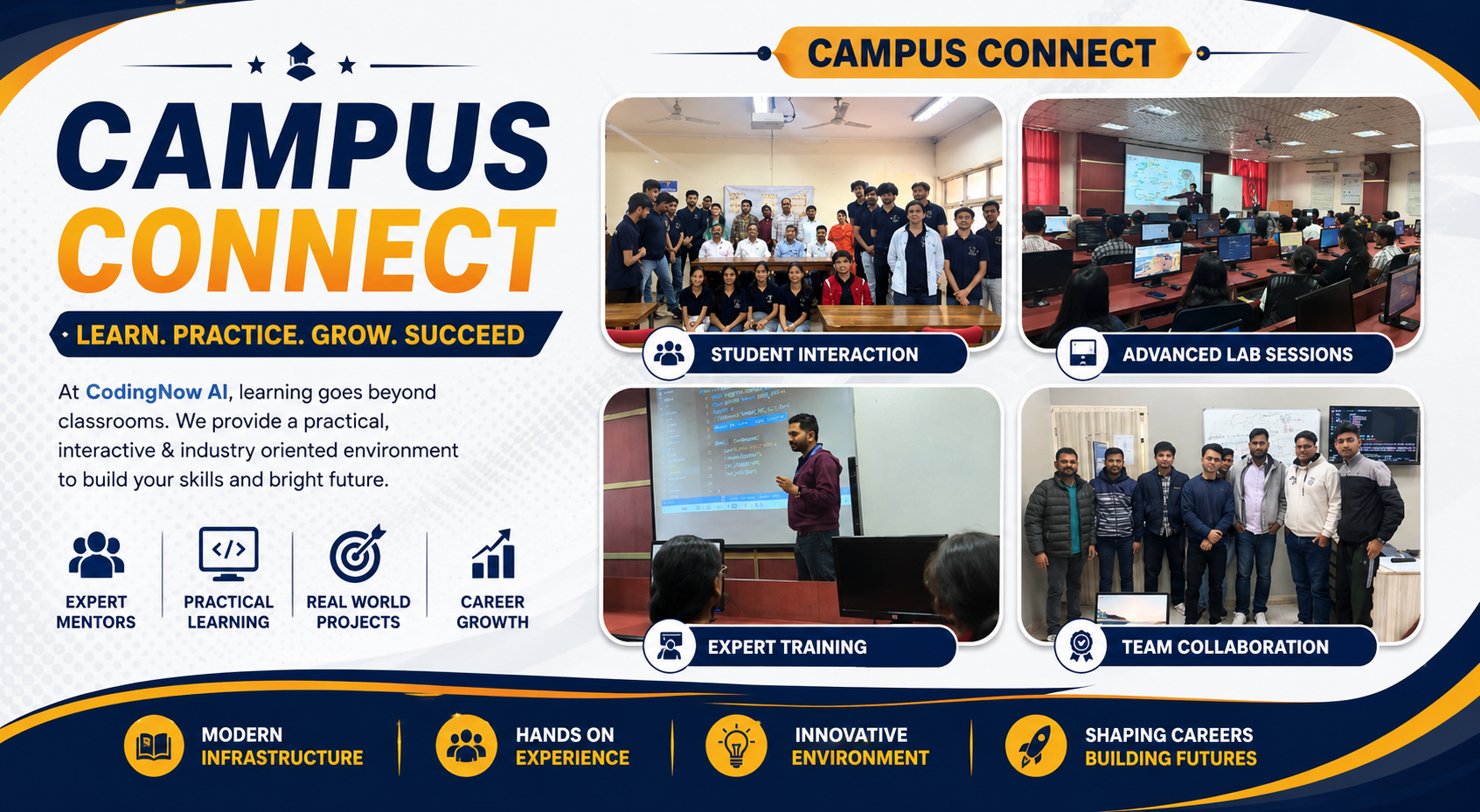
The website codingnowai.in reveals a comprehensive approach to technology education that addresses every weakness of pure AI self-study. Here is what you get from a structured program that you cannot get from ChatGPT alone.
A Coherent Curriculum Designed by Experts
AI answers individual questions in isolation. It does not know what you should learn next. A good curriculum, like the ones at Coding Now, builds skills in the optimal order. You learn variables before functions, functions before classes, classes before frameworks. Each topic prepares you for the next. You never encounter a concept that requires prerequisite knowledge you do not have.
The six-month AI Engineering Diploma at codingnowai.in takes you from fundamentals to advanced generative AI in a logical progression. The four-month Data Science program introduces statistics before machine learning, and machine learning before deep learning. This structure accelerates learning because you always have the foundation needed for new material.
Expert Mentors Who Understand Your Journey
AI does not know your specific struggles. A human mentor does. When you are stuck on a concept, a mentor sees exactly where your understanding breaks down and explains it in a different way. When you are ready for more challenge, a mentor pushes you forward. When you are about to give up, a mentor provides encouragement and accountability.
The leadership at codingnowai.in includes founder Abhishek Kumar with five years of industry experience in AI and full stack development. Academic director Sandeep Sharma brings seven years of teaching experience. Founders Mamta Arora Uppal and Vikram Uppal provide additional mentorship. These are real people who track your progress and care about your success.
Real Projects That Build Portfolio
AI can generate toy examples, but it cannot give you experience working with real datasets, real requirements, and real constraints. Structured programs provide real-world projects that demonstrate your abilities to employers.
The website shows that Coding Now students complete over fifty industry projects. They work with real company datasets. They participate in hackathons. They build portfolios that showcase genuine capabilities rather than tutorial exercises. When you apply for jobs, you show employers what you have built, not just what AI helped you do.
Placement Support That Gets You Hired
Learning to code is not the final goal. Getting a job is the final goal. AI cannot submit your resume, schedule interviews, or negotiate your salary. Structured programs provide placement support that connects you with actual employers.
Coding Now reports over thirty-two hundred students placed, a highest package of thirty-four lakh rupees, and one hundred percent placement support including resume building, mock interviews, portfolio preparation, and job referrals. Over fifty hiring partners actively recruit graduates including TCS and Infosys. This infrastructure is what transforms coding skills into coding careers.
Accountability That Keeps You Going
The biggest challenge in learning to code is not understanding difficult concepts. The biggest challenge is continuing to show up when learning gets hard. When you are alone with AI, no one notices if you skip a week of practice. No one asks why you have not completed your assignments. No one pushes you to work through frustration.
In a structured program, you have deadlines, assignments, and mentors who track your progress. You have classmates who are on the same journey. This accountability is often the difference between success and quitting.
Part Five: Your Complete Action Plan to Learn Coding with AI
Here is a week-by-week plan for the first three months of learning to code with AI assistance. Adjust the pace based on your available time and prior experience.
Month One: Fundamentals Without AI
Week One: Variables and Data Types
Learn what variables are and the basic data types in Python including integers, floats, strings, and booleans. Write programs that store user input, perform simple calculations, and display results. Do not use AI at all this week. Every line of code should come from your own brain.
Week Two: Conditionals and Loops
Learn if statements, else clauses, and elif chains. Learn for loops and while loops. Write programs that make decisions and repeat actions. Still no AI. Struggle through the logic yourself. This struggle builds mental models that will serve you forever.
Week Three: Functions
Learn to define functions, pass parameters, return values. Understand scope and variable lifetime. Write functions that solve small problems and combine them into larger programs. You may now use AI to explain concepts you find confusing, but never to write code for you.
Week Four: Data Structures
Learn lists, dictionaries, tuples, and sets. Understand when to use each one. Write programs that manipulate collections of data. Use AI to generate practice problems and to review code you have written, but continue writing all solutions yourself.
Month Two: Introducing AI as a Learning Aid
Week Five: Debugging with AI
Write code that intentionally contains bugs. Try to fix them yourself for fifteen minutes. If still stuck, paste the code into AI and ask for an explanation of the bug. Study the explanation, then fix the code yourself without copying the AI solution.
Week Six: Code Review with AI
Write solutions to ten practice problems. For each solution, ask AI to review your code. Compare your approach to the AI suggestions. Implement improvements manually. Learn from each review.
Week Seven: Algorithm Practice with AI
Learn basic algorithms including linear search, binary search, bubble sort, and insertion sort. Ask AI to explain the time complexity of each algorithm. Implement them yourself. Ask AI to generate test cases to verify your implementations.
Week Eight: Object-Oriented Programming
Learn classes, objects, inheritance, and polymorphism. Use AI to explain these concepts with analogies and examples. Write your own classes for real-world things like BankAccount, Student, or Product. Have AI review your class designs.
Month Three: Building Projects with AI as Pair Programmer
Week Nine: First Project Planning
Choose a simple project such as a to-do list application, a contact manager, or a number guessing game. Plan the features and break them into small tasks. Use AI to help you think through the architecture without writing code for you.
Week Ten: First Project Implementation
Build your project piece by piece. When you get stuck on a specific function or algorithm, ask AI for guidance on that piece only. Write the code yourself. Complete the project.
Week Eleven: Second Project with Less AI
Choose a slightly more ambitious project such as a weather app using an API or a data analysis of a CSV file. Use AI less frequently than the first project. Aim to solve more problems independently.
Week Twelve: AI-Free Assessment
Turn off all AI tools. Build a complete project using only your own knowledge, documentation, and search engines. Complete it from start to finish. This project is your true skill level. Celebrate what you have learned and note what still needs improvement.
Beyond Month Three: Continuing Your Journey
After three months, you have a solid foundation. Now consider enrolling in a structured program like the AI Engineering Diploma or Data Science program at codingnowai.in. These programs will take you from beginner to job-ready professional with expert mentorship, real projects, and placement support that self-study cannot provide.
Part Six: Specific Courses at Coding Now for AI-Powered Learning
The website codingnowai.in offers several programs specifically designed for the AI era. Here is detailed information about each one.
AI Engineering Diploma
Duration: Six months
Average Salary: Eight to eighteen lakh rupees per annum
Placement Rate: Ninety-five percent
This program covers generative AI, large language models, retrieval-augmented generation, and agentic AI. You do not learn to simply use AI tools. You learn to build them. You graduate as someone who creates AI rather than someone who fears being replaced by it.
The curriculum includes both fundamentals and advanced topics. You start with Python programming and data structures. You move to machine learning basics. Then you dive into deep learning, transformers, and large language models. You build projects that integrate AI capabilities into real applications.
AI-Integrated Full Stack Development
Duration: Six months
Average Salary: Seven to sixteen lakh rupees per annum
Placement Rate: Ninety-four percent
This program combines full stack web development with AI integration skills. You learn frontend technologies including HTML, CSS, and React. You learn backend technologies including Node.js, Python, and databases. Then you learn to add AI features to web applications such as recommendation systems, chatbots, and content generation.
The graduates of this program are particularly valuable because they can build complete applications that leverage AI without relying on external AI specialists. They are full stack developers with AI superpowers.
Data Science with Python
Duration: Four months
Average Salary: Six to fourteen lakh rupees per annum
Placement Rate: Ninety-two percent
This program covers statistics, data analysis, machine learning, and advanced analytics. You learn to extract insights from data, build predictive models, and communicate findings effectively. The program uses real company datasets and industry projects.
Cloud Computing and Cybersecurity
The website also lists AWS Solutions Architect certification preparation and Ethical Hacker CEH certification. These three-month programs prepare you for specific high-demand roles in cloud infrastructure and information security.
Conclusion: Yes, You Can Learn to Code with AI
The answer to the question that began this guide is a definitive yes. You can learn to code with AI. AI tools make coding education more accessible, more personalized, and faster than ever before. They provide instant explanations, unlimited examples, and debugging assistance that previous generations of learners could only dream about.
But learning to code with AI requires the right approach. You must attempt problems before asking for help. You must type code manually rather than copying and pasting. You must ask for explanations rather than solutions. You must verify everything AI tells you. And you must regularly practice without AI to ensure you are developing genuine skills.
For those who want the most effective and efficient path from beginner to job-ready professional, combining AI self-study with a structured program like those at codingnowai.in is the optimal strategy. You get the flexibility and personalization of AI tools plus the curriculum design, expert mentorship, real projects, accountability, and placement support that AI alone cannot provide.
The future belongs to developers who can code with their own minds and leverage AI as a powerful assistant. Start your journey today. Visit codingnowai.in to explore courses in AI Engineering, Data Science, Full Stack Development, Cloud Computing, and Cybersecurity. Your career in technology is waiting. The only question is whether you will start now or later. Start now.